

Open your signed forms
1
Open My Consents
Sign in, click your name in the top right corner (or the menu icon on a phone), then click My Consents.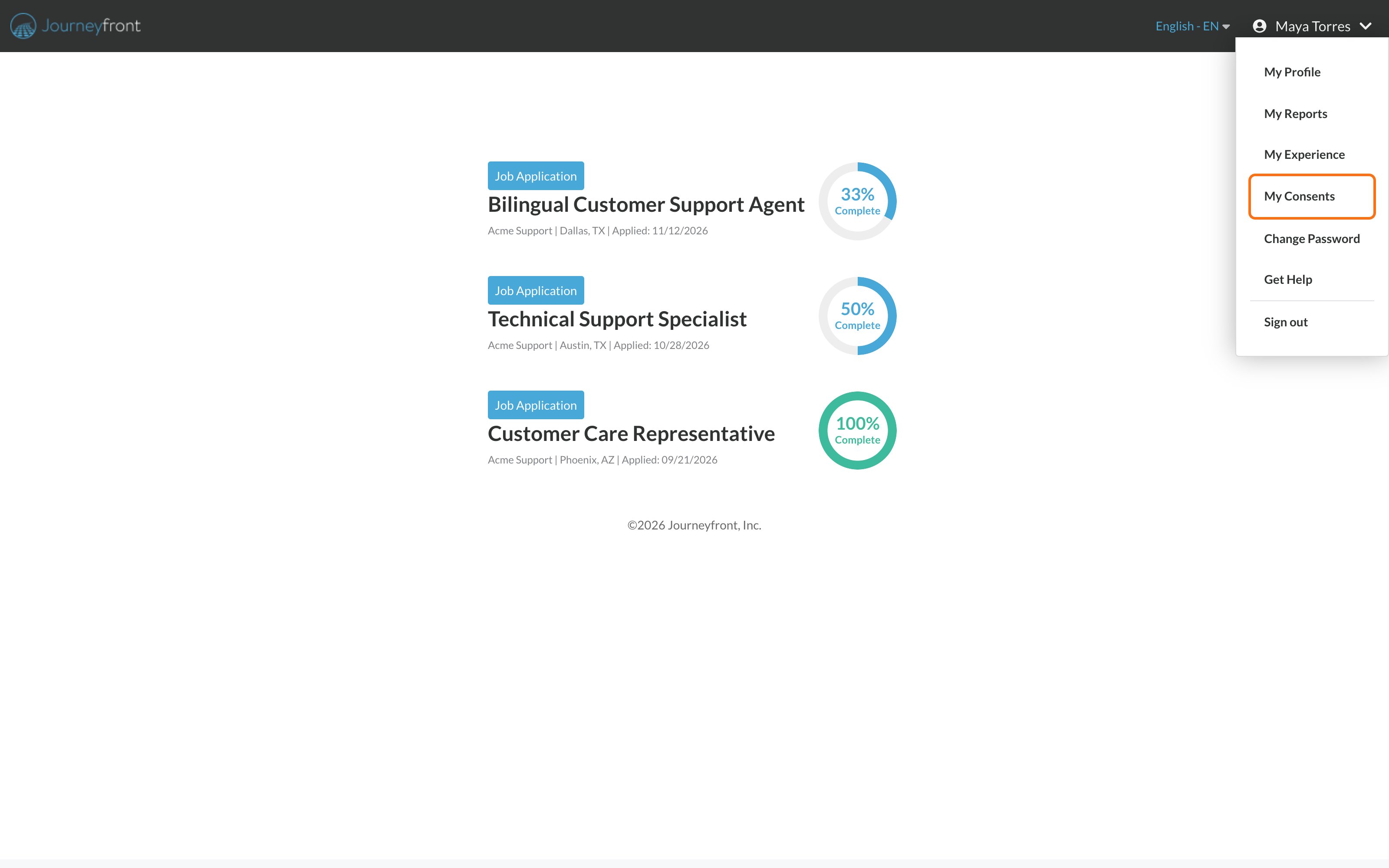
2
Find the form
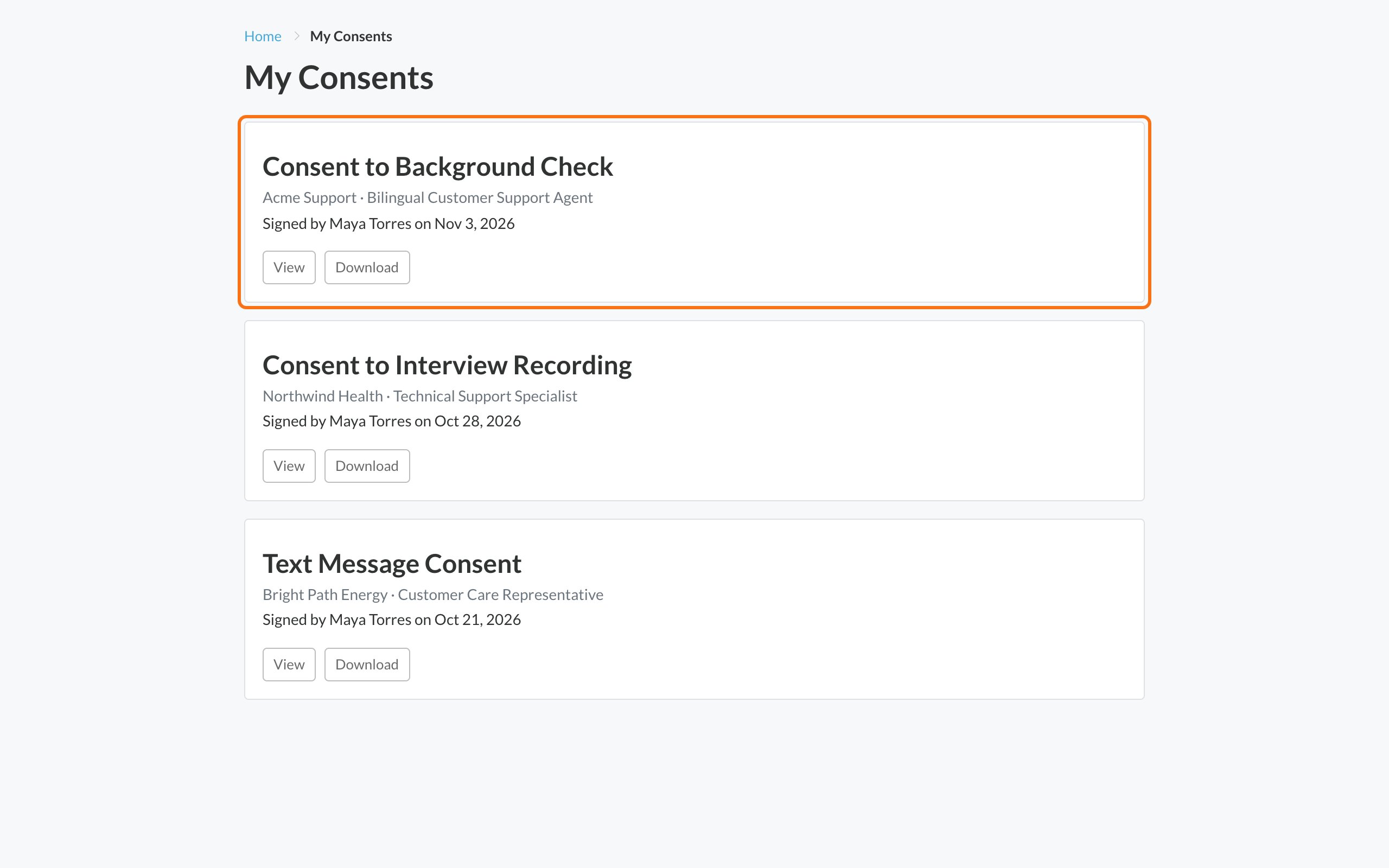
You’ll see each form you’ve signed.
3
View or download it
Click View to read it, or Download to save a copy.
Common questions
I don't see a form I signed
I don't see a form I signed
My Consents lists consent forms you signed in your application. Offer letters and other documents you sign online are sent to you by email after signing. See Sign your offer online.
Can I take back a consent I signed?
Can I take back a consent I signed?
You can’t change a signed form from your account. Contact the employer you applied to.
Related
Sign consent forms
How signing works.
Your candidate portal
Everything in your account.